


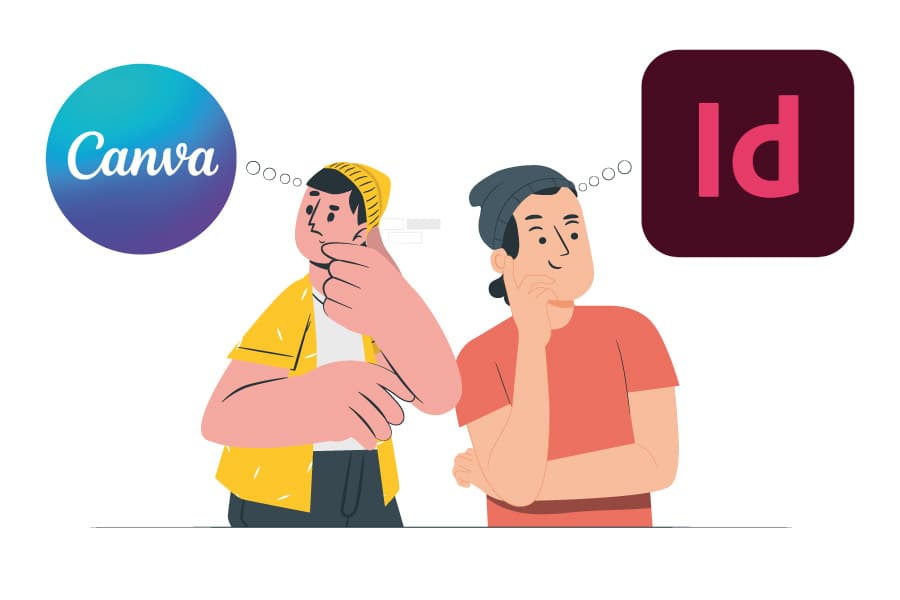

Another fooled customer???
Recently, a customer came to me for a new website to sell a 148-page book. The customer had another so-called “designer” creating the book.
To be clear, I do not know if I can say that the customer has been a fool because the price the customer paid was low. It looked terrific, but how can someone call themself a professional designer and create a book in Canva instead of Adobe InDesign makes me speechless. I should mention, that it was not a small 4 or 8 pages magazine, it was a 148 pages book.
While Canva is a fantastic tool for quick designs and social media graphics, it’s clear why it’s not the best choice for long-format projects like books or magazines. The file was riddled with formatting inconsistencies, image resolution issues, and challenges with exporting print-ready files. It was a stark reminder of why professionals in publishing and design rely on Adobe InDesign for projects of this scale.
InDesign is an industry-standard software for a reason. It’s built to easily handle complex layouts, multi-page documents, and precise typography. Whether designing a book, magazine, or any print or digital publication, Adobe InDesign offers the tools and flexibility to create polished, professional results. Let’s dive into why InDesign should always be your go-to for book and magazine design—and how it can save you time, frustration, and costly mistakes.
Here’s why you should always use Adobe InDesign for books and magazines
And why Canva doesn’t measure up.
1. Precision and Control Over Layouts
Books and magazines require meticulous attention to detail. Every element must be precise, from margins and bleed settings to typography and image placement. Adobe InDesign is explicitly built for this purpose. It offers advanced tools for creating multi-page documents, master pages, and grids that ensure consistency across every page.
Canva, on the other hand, is designed for simplicity, not precision. It lacks the fine-tuned control needed for complex layouts. For example, aligning text boxes, managing paragraph styles, or adjusting kerning and leading in Canva is clunky and limited. InDesign gives you complete control over every design aspect, ensuring a polished, professional result.
2. Handling Large Documents with Ease
A 148-page book is no small feat. InDesign is optimized for handling large documents, allowing you to work efficiently without slowing down. Its features, such as linked text frames, paragraph styles, and table of contents generation, make it easy to manage lengthy projects.
Canva, however, struggles with large documents. It’s not designed to handle hundreds of pages, and the lack of advanced organizational tools can quickly turn your project into a chaotic mess. Imagine trying to update a font or adjust a layout across 148 pages in Canva—it’s a nightmare. InDesign, with its global styles and master pages, lets you make changes across your entire document in seconds.
3. Print-Ready Output
When it comes to printing, Adobe InDesign is the gold standard. It supports high-resolution images, CMYK colour profiles, and precise bleed and trim settings, ensuring your book or magazine looks flawless in print. InDesign also easily exports print-ready PDFs with crop marks and proper colour settings.
While Canva offers basic PDF export options, it falls short regarding professional printing. Its resolution limitations, lack of CMYK support, and inconsistent bleed settings can lead to costly mistakes. If you’re serious about producing a high-quality printed book or magazine, InDesign is the only way.
4. Typography Mastery
Typography is the backbone of any book or magazine. Adobe InDesign offers unparalleled typographic control, allowing you to fine-tune everything from kerning and leading to hyphenation and justification. It also supports OpenType fonts and advanced features like ligatures and stylistic alternatives, giving your text a refined, professional look.
Canvas typography tools are rudimentary at best. While it’s OK for basic text overlays, it lacks the sophistication needed for long-form content. The inability to create and apply paragraph styles or manage text flow across multiple pages makes Canva a poor choice for anything beyond short, straightforward designs.
5. Scalability and Flexibility
InDesign is designed to grow with your project. Whether you’re creating a 10-page booklet or a 500-page novel, InDesign can handle it. Its flexibility allows you to adapt your design as your project evolves without compromising quality or efficiency.
Canva, by contrast, is limited in scope. It’s great for one-off designs but quickly becomes unwieldy for larger, more complex projects. The lack of advanced features and organizational tools makes it unsuitable for professional publishing.
6. Industry Standard for a Reason
Adobe InDesign is the industry standard for a reason. It’s trusted by professional designers, publishers, and printers worldwide. When you use InDesign, you’re not just creating a document—you’re creating a product that meets the highest standards of quality and professionalism.
While accessible and user-friendly, Canva is not built for professional publishing. It’s a tool for beginners and casual users, not for serious designers or publishers. If you want your book or magazine to stand out in a competitive market, you must use the right tool for the job.
The Bottom Line
While Canva has its place in the design world, it’s not equipped to handle book or magazine design demands. Adobe InDesign offers the precision, control, and professional features to create stunning, high-quality publications.
If you’re serious about your project, don’t cut corners with Canva. Invest in Adobe InDesign—or work with a professional who can use it. Your readers (and your printer) will thank you.
So, the next time you’re tempted to use Canva for a book or magazine, remember that some tools are made for quick fixes, and others are made for masterpieces. Choose wisely.
*Have you ever tried using Canva for a large project? What was your experience? Please share your thoughts in the comments below! Or email us*



0 Comments