



Editor’s Note
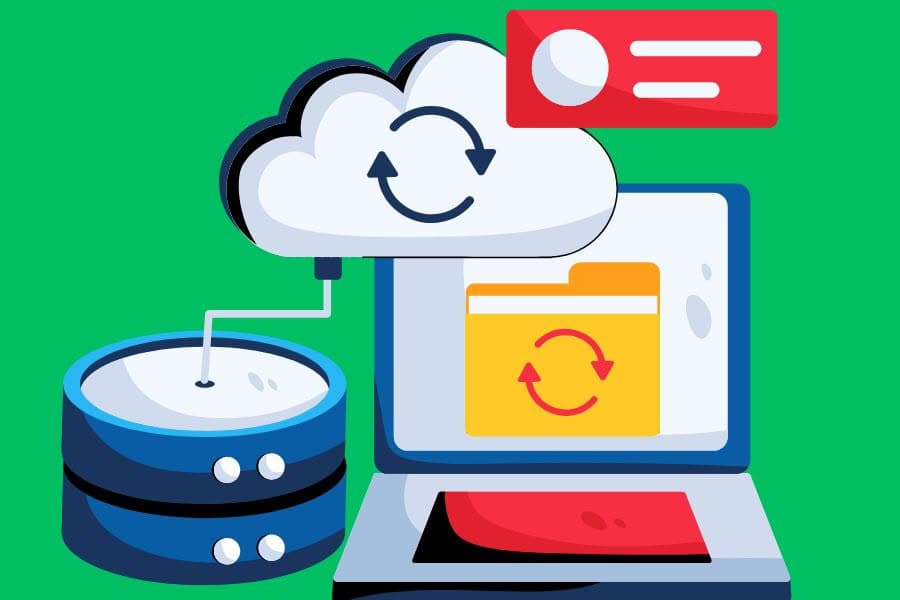
Many website owners assume their hosting company automatically protects their website if something goes wrong. Unfortunately, that’s not always the case. A proper backup strategy is one of the most important investments you can make for any WordPress website. In this article, we explain why backups matter, compare three of the most popular backup solutions and explain why Mallorca Graphics recommends UpdraftPlus.
Imagine arriving at work one morning only to discover your website has disappeared.
Perhaps a plugin update failed.
Maybe your hosting account experienced a problem.
Or worse still, your website was hacked overnight.
Without a recent backup, recovering your website could take days—or it may not be possible at all.
For businesses that rely on their website to generate enquiries or online sales, even a few hours of downtime can be expensive.
That’s why every WordPress website, regardless of its size, should have a reliable backup strategy.
Backups aren’t simply insurance. They’re an essential part of running a professional website.
Why hosting backups is not enough
One of the biggest misconceptions among website owners is that their hosting company takes care of backups.
Many hosting providers do offer backups, but there are important limitations.
Some only keep backups for a few days.
Others charge additional restoration fees.
Some don’t back up your website as frequently as you expect.
And if the hosting server itself experiences a serious failure, both your website and the backup may be affected.
A professional backup strategy should always include independent, off-site copies stored securely in cloud storage.
That way, even if your hosting account becomes unavailable, your website remains protected.
What makes a good WordPress backup solution?
Not every backup plugin offers the same level of protection.
When evaluating backup solutions, businesses should consider:
- Automatic scheduled backups.
- Off-site cloud storage.
- Simple one-click restoration.
- Incremental backups where available.
- Compatibility with WordPress updates.
- Reliable customer support.
- Regular plugin updates.
The easier it is to restore a website, the faster your business can recover if something goes wrong.
UpdraftPlus vs Duplicator Pro vs Solid Backups
There are many excellent backup plugins available for WordPress, but three names appear regularly in professional discussions:
- UpdraftPlus
- Duplicator Pro
- Solid Backups (formerly BackupBuddy)
All three are capable products, but they approach backups slightly differently.
UpdraftPlus
UpdraftPlus focuses on making automated backups simple and reliable.
It supports scheduled backups, one-click restores and direct integration with cloud storage providers including Google Drive, Dropbox, OneDrive, Amazon S3 and many others.
Its interface is straightforward, making it suitable for both beginners and experienced WordPress professionals.
For most businesses, it provides everything needed to protect a website without unnecessary complexity.
Duplicator Pro
Duplicator Pro is an outstanding migration and cloning tool that also includes backup functionality.
It’s particularly popular among developers who regularly move websites between servers or create staging environments.
While it offers excellent backup capabilities, its greatest strength lies in migrations rather than day-to-day automated backup management.
Solid Backups
Solid Backups has been available for many years and remains a capable backup solution.
It includes scheduling, restoration and remote storage support, making it suitable for many WordPress websites.
However, in our experience, the user interface and overall workflow are not quite as intuitive as UpdraftPlus, particularly for business owners who prefer a simpler backup process.
👉 Also read: Why More Businesses Choose Professional WordPress Website Management
Why Mallorca Graphics recommends UpdraftPlus
Over the years, we’ve worked with many WordPress websites, ranging from small business sites to large WooCommerce stores.
One lesson has remained constant: when something goes wrong, having a recent backup can turn a major disaster into a minor inconvenience.
After working with various backup solutions, we’ve chosen UpdraftPlus because it combines reliability, ease of use and flexibility.
It allows automatic scheduled backups, supports multiple cloud storage providers and makes restoring an entire website remarkably straightforward.
Most importantly, it’s a solution that business owners can understand without needing advanced technical knowledge.
Cloud storage adds another layer of protection
A backup stored on the same server as your website isn’t a complete backup strategy.
If the server suffers a hardware failure, a security breach or accidental deletion, both your website and its backup could be lost.
That’s why we strongly recommend storing backups remotely using services such as:
- Google Drive
- Dropbox
- Microsoft OneDrive
- Amazon S3
- Backblaze B2
UpdraftPlus supports these services directly, making automated off-site backups simple to configure.
With your backups stored safely away from the hosting server, you always have an independent copy of your website ready to restore if needed.

How often should you back up a WordPress website?
The answer depends on how frequently your website changes.
A small brochure website that is updated only occasionally may only require a weekly backup.
A WooCommerce store receiving orders every day should be backed up much more frequently—often daily or even several times per day.
The important thing is that your backup schedule reflects the value of the data you’re protecting.
Losing a week’s worth of customer enquiries or online orders could be far more costly than the price of a professional backup solution.
A backup is only useful if it can be restored
Many website owners install a backup plugin and never think about it again.
However, a backup should be tested occasionally to ensure it can actually be restored successfully.
Knowing that your backup process works before an emergency occurs provides invaluable peace of mind.
This is another reason we like UpdraftPlus. The restoration process is simple, well documented and reliable, allowing websites to be recovered quickly when necessary.
Key Takeaways
- Every WordPress website should have automatic backups.
- Hosting backups alone are not enough to fully protect your website.
- Off-site cloud storage provides an additional layer of security.
- UpdraftPlus, Duplicator Pro and Solid Backups are all capable solutions.
- For most businesses, we recommend UpdraftPlus because of its reliability, simplicity and excellent cloud integration.
- Testing your backups is just as important as creating them.
Conclusion
Website problems rarely happen at a convenient time.
Whether the issue is caused by human error, a failed update, malware or a server problem, having a reliable backup can dramatically reduce downtime and protect your business.
While several excellent WordPress backup plugins are available, we believe UpdraftPlus offers the best balance of simplicity, reliability and flexibility for most businesses.
A good backup strategy isn’t simply about protecting files—it’s about protecting your reputation, your customers and the time you’ve invested in building your website.
Final Thought
You hope you’ll never need a backup.
But the day something unexpected happens, you’ll be incredibly grateful that you have one.
For a relatively small investment, UpdraftPlus provides peace of mind that is difficult to put a price on, making it one of the smartest additions to any professional WordPress website.
Frequently Asked Questions
Why does my WordPress website need regular backups?
Regular backups protect your website against hacking, failed updates, accidental deletion, hosting problems and other unexpected issues. They allow you to restore your website quickly if something goes wrong.
Are hosting backups enough?
Not always. Many hosting providers keep limited backups or charge restoration fees. An independent backup stored off-site gives you greater control and additional protection.
Why do you recommend UpdraftPlus?
We recommend UpdraftPlus because it offers automatic scheduling, reliable restoration, excellent cloud storage integration and an easy-to-use interface suitable for businesses of all sizes.
How often should I back up my WordPress website?
It depends on how often your website changes. Business websites should generally be backed up at least weekly, while busy WooCommerce stores often require daily or more frequent backups.
Can I restore only part of my website with UpdraftPlus?
Yes. UpdraftPlus allows you to restore individual components such as plugins, themes, uploads, databases or the entire website, making recovery both flexible and efficient.

0 Comments