



Just to be clear, this isn’t an affiliate post.
I bought the UGREEN NAS DH4300 Plus with my own money. No one sponsored me, paid me, or sent me the unit to review. The links here go straight to the manufacturer or retailer. My experience with UGREEN NAS DH4300 Plus is entirely based on real-world experience — not hype, not sponsorship, and not marketing pressure.
Where I Started: Desktop Storage with Terramaster DH-300
For years, my storage setup was built around a Terramaster DH-300. It worked as a desktop storage enclosure connected directly to one computer. It was reliable enough for local storage and backups, and at the time, that was sufficient.
But it was never meant to be real infrastructure.
The DH-300 relied completely on the main computer. If that computer was off, the storage was offline too. I could only access files locally. Backups needed manual work. Sharing large files meant copying or uploading them elsewhere. This setup was fine as long as I worked alone on one computer.
But once I started working with others in different places, the limits became clear.
Why Moving to Network Storage Became Necessary
When you start working with people in different places, like developers, designers, partners, or remote teammates, storage can’t just be tied to one device anymore.
Desktop storage makes things harder. You have to move files rather than just access them. Different versions pile up. Backups get scattered. Big files are copied rather than kept in one place. You end up managing storage instead of just using it.
That’s when things need to change.
I didn’t just need more space. I needed storage that was on the network, not tied to any one computer, and easy to access, organise, and secure. So I decided to get a real NAS (Network Attached Storage).
What Is a NAS?
A NAS is a storage device that connects to your network, so many devices and users can access and back up data in one place. Unlike an external hard drive, it works on its own and offers things like remote access, automatic backups, and RAID protection for better security and reliability.
The UGREEN NASync DH4300 Plus
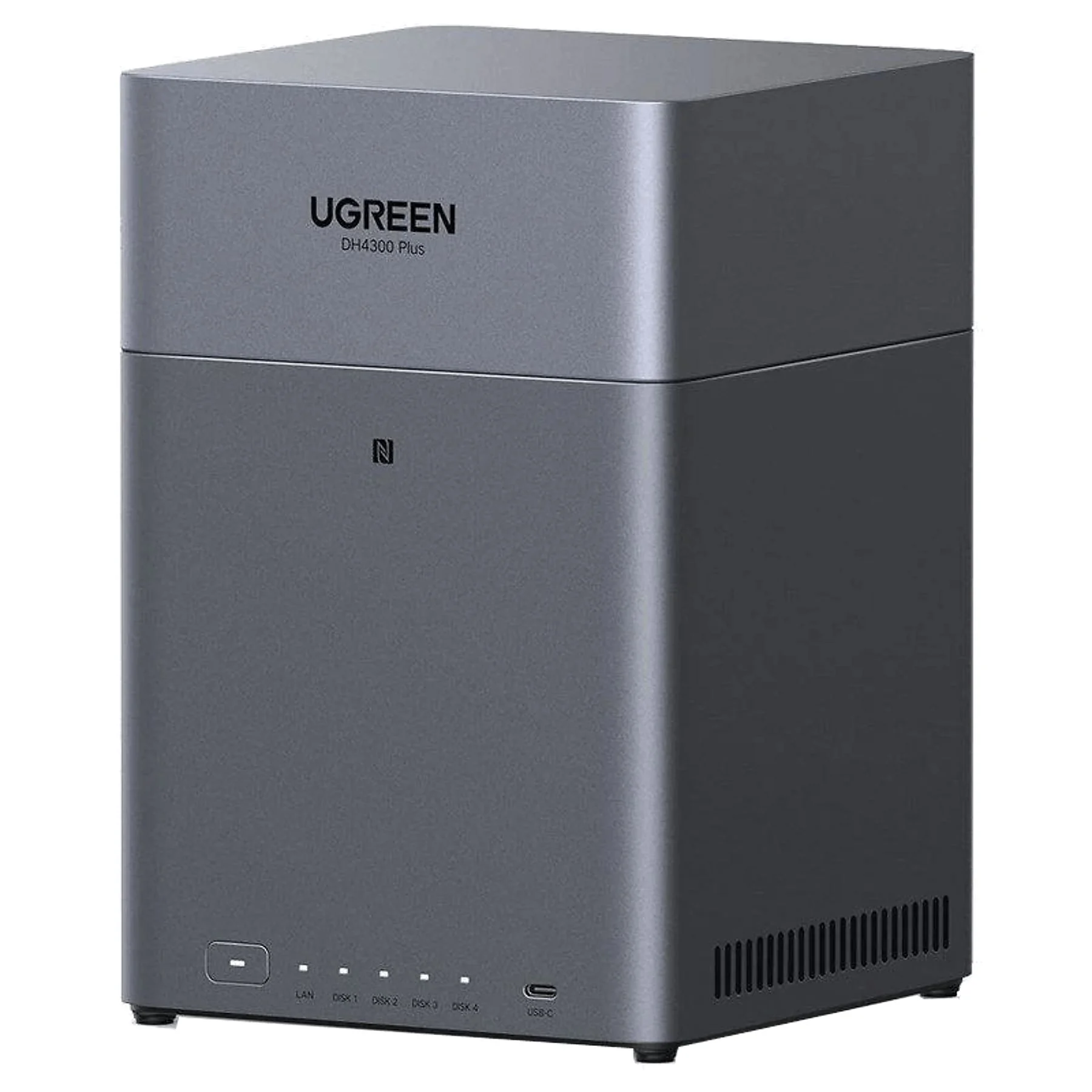 The UGREEN NASync DH4300 Plus is a 4-bay network storage system made for home offices, creators, and small teams who need reliable, central storage. It lists features like RAID support, 2.5GbE networking, and UGOS Pro as its operating system. But in real use, its main strength is that it works independently.
Unlike desktop storage that needs a single computer, the DH4300 Plus is a standalone system. It has its own processor, memory, and software, so it stays online even if my main computer is off. It connects straight to the network and lets many computers, phones, or tablets access files at the same time without extra steps.
It does more than just store files. Backups can run automatically on a schedule. It monitors disk health using SMART diagnostics. You can set up user permissions to control who sees what. Most importantly, it protects your data with RAID, so you’re not relying on a single drive.
I use four identical drives in a RAID 5 setup. This spreads data and backup info across all the drives. If one drive fails, the NAS keeps working, and my data stays safe while I replace the faulty drive. That’s a big improvement over desktop storage, where one failed drive could mean losing everything.
Real-World Use and Performance
Day to day, the DH4300 Plus is stable and reliable. File transfers over 2.5 GbE are much faster than regular gigabit speeds, especially for large project files or media. Several devices can use it at once without any slowdowns.
It runs quietly, which is great for a home office. It doesn’t get too hot, and I haven’t had to keep fixing or adjusting it.
Most importantly, it brings everything together in one place.
For me, as a Mac user, it backs up my Mac and iPhone, saves project files, and stores shared documents all in one spot. User permissions control who can see what, so collaborators only access what they need. Remote access means I don’t need extra cloud storage subscriptions for our team’s work.
That’s the real value for me.
Software Experience
The UGREEN NASync DH4300 Plus runs on UGOS Pro, UGREEN’s own operating system. This is where many NAS devices either work well or don’t. The hardware might look good on paper, but it’s the software that makes the system feel professional or frustrating.
UGOS Pro has a clean, modern web interface that’s easy to use, even if you’re new to network storage. The dashboard shows system health, storage pools, connected users, and running services right away. Everything is organised, so you don’t have to dig through endless menus to do simple tasks.
It has all the features you need for daily use. You can set up and manage user accounts with permissions, create RAID volumes, check disk health with SMART diagnostics, and schedule automatic backups. You can also set up remote access without needing advanced networking skills, which is great for small teams and home offices.
What I like most is that UGOS Pro is stable and easy to understand. It doesn’t overwhelm you with advanced features you’ll probably never use in a small setup. Instead, it gives you reliable file services, backup tools, and monitoring that just work quietly in the background.
Is it as advanced or feature-rich as the big-name NAS platforms?
No, it’s not there yet. But in real use, it’s been stable, responsive, and reliable. For home offices and small teams, that balance between ease of use and features is what really counts.
The Only Real Limitations
There are just two real limitations to mention.
You can’t upgrade the RAM, so you’re stuck with the memory it comes with. This could matter for advanced virtualisation, but for regular file sharing, backups, and teamwork, it hasn’t been a problem.
It also has only one 2.5 GbE LAN port. That could be a limit for big companies needing redundancy or link aggregation, but for a home office or small team, it’s more than enough.
Other than that, I haven’t found any major drawbacks.
Final Verdict
Switching from desktop storage to the UGREEN NASync DH4300 Plus was more than just a hardware upgrade. It changed how everything was organised.
- It made working with people in different places much smoother.
- Now, all my backups are in one place.
- My data is better protected.
- I’m no longer tied to just one computer.
In short, the UGREEN NASync DH4300 Plus didn’t just give me more storage — it gave me structure, reliability, and flexibility. For anyone moving beyond single-machine workflows, that shift from simple storage to true network infrastructure makes all the difference.





0 Comments